Rust Hacks for Combat, Looting and Survival
- Aim with assistance: Track a selected target with aimbot and adjust weapon recoil with separate controls.
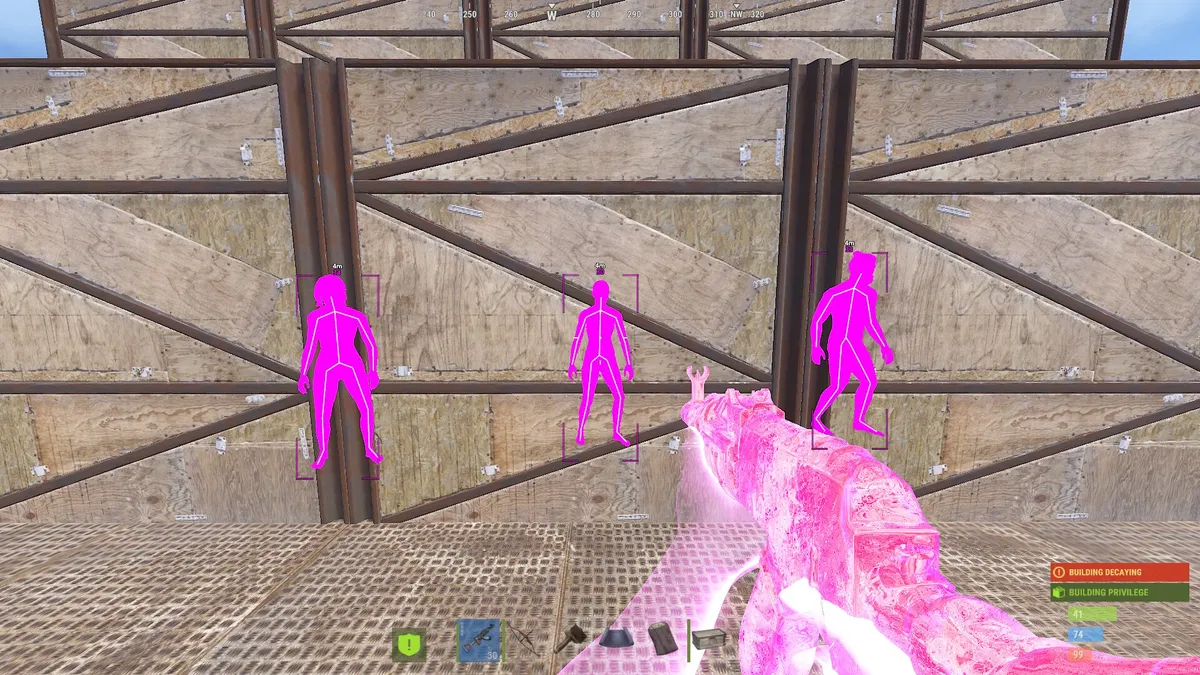
- See more of the fight: Reveal player positions with wallhack visuals, ESP and radar.
- Find what you need: Locate supported ores, loot and world objects with dedicated ESP filters.
A full inventory makes the trip home worth protecting. In Rust, one player waiting outside your base or watching a monument exit can turn a productive run into a lost kit. Knowing where opponents are gives you more time to choose your route, line up a shot or avoid a fight you do not want.
Buy Rust cheats with the controls you will actually use: aiming assistance for combat, player ESP and radar for nearby activity, and world markers for supported resources and loot. Our two Disconnect Rust products have their own feature lists, license options and setup instructions, so choose the build before choosing its duration.
Whether you are heading out to farm, contesting loot or defending a position, you can tailor the display to the way you play. Keep nearby enemies prominent, filter out unnecessary markers and adjust the aiming controls around your preferred setup. Browse the available Rust cheats above to choose your license.
Rust Aimbot - Keep Your Aim on the Fight
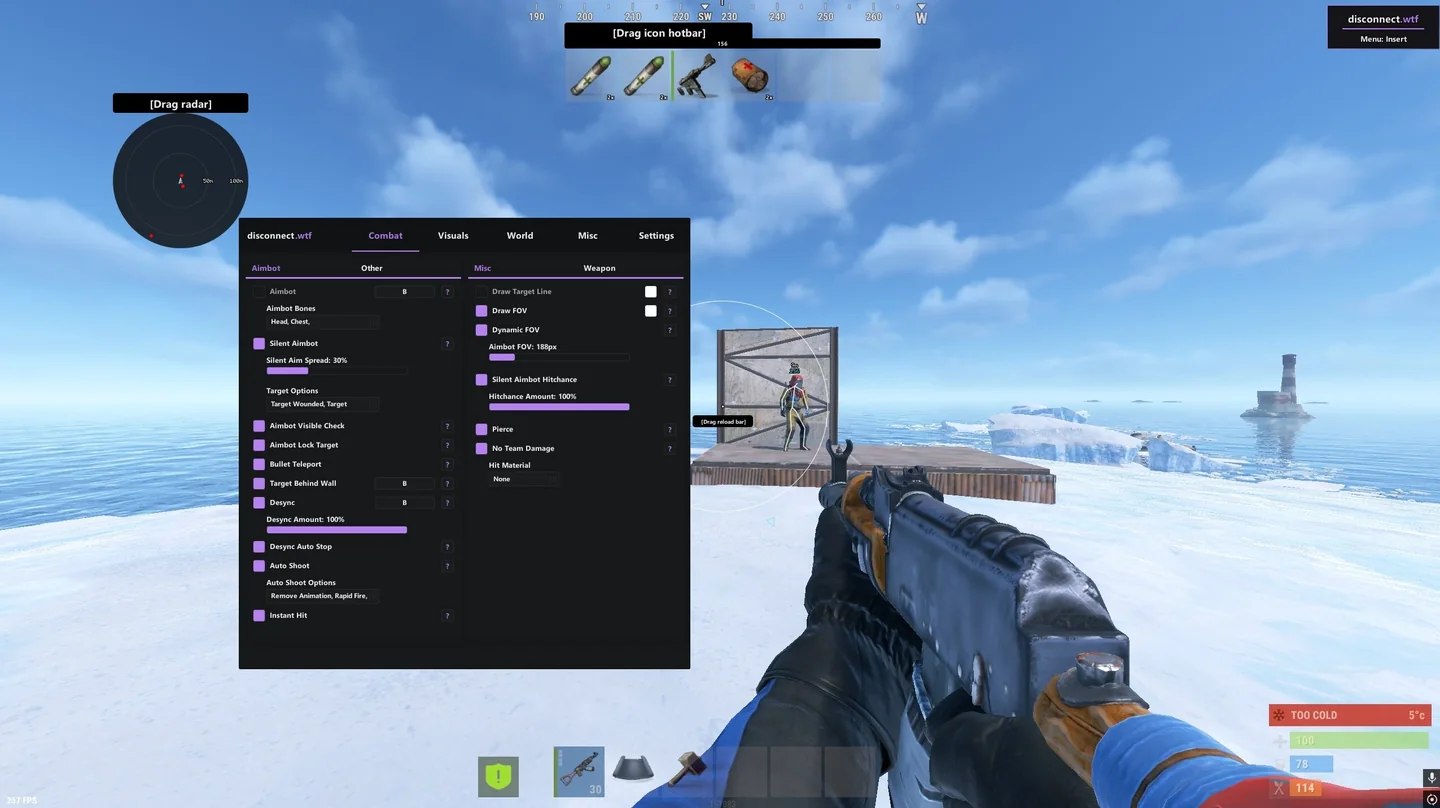
A player crossing an open road presents a different shot from someone appearing in a doorway. Rust aimbot helps move your aim toward a selected opponent, with controls for the target body area and the way your aim moves onto it.
Choose a target body area and set the field of view around your crosshair. A narrower FOV concentrates targeting near where you are already looking. Smoothing changes the movement toward the target, so the assistance is not limited to one fixed feel.
- Target selection: Choose a body area such as the head, chest or pelvis.
- FOV and target indicators: See the targeting area and selected target with a FOV circle and target line.
- Smoothing and hit chance: Adjust the behavior of the aiming assistance through the available controls.
Rust Wallhack - Reveal Players Around Cover
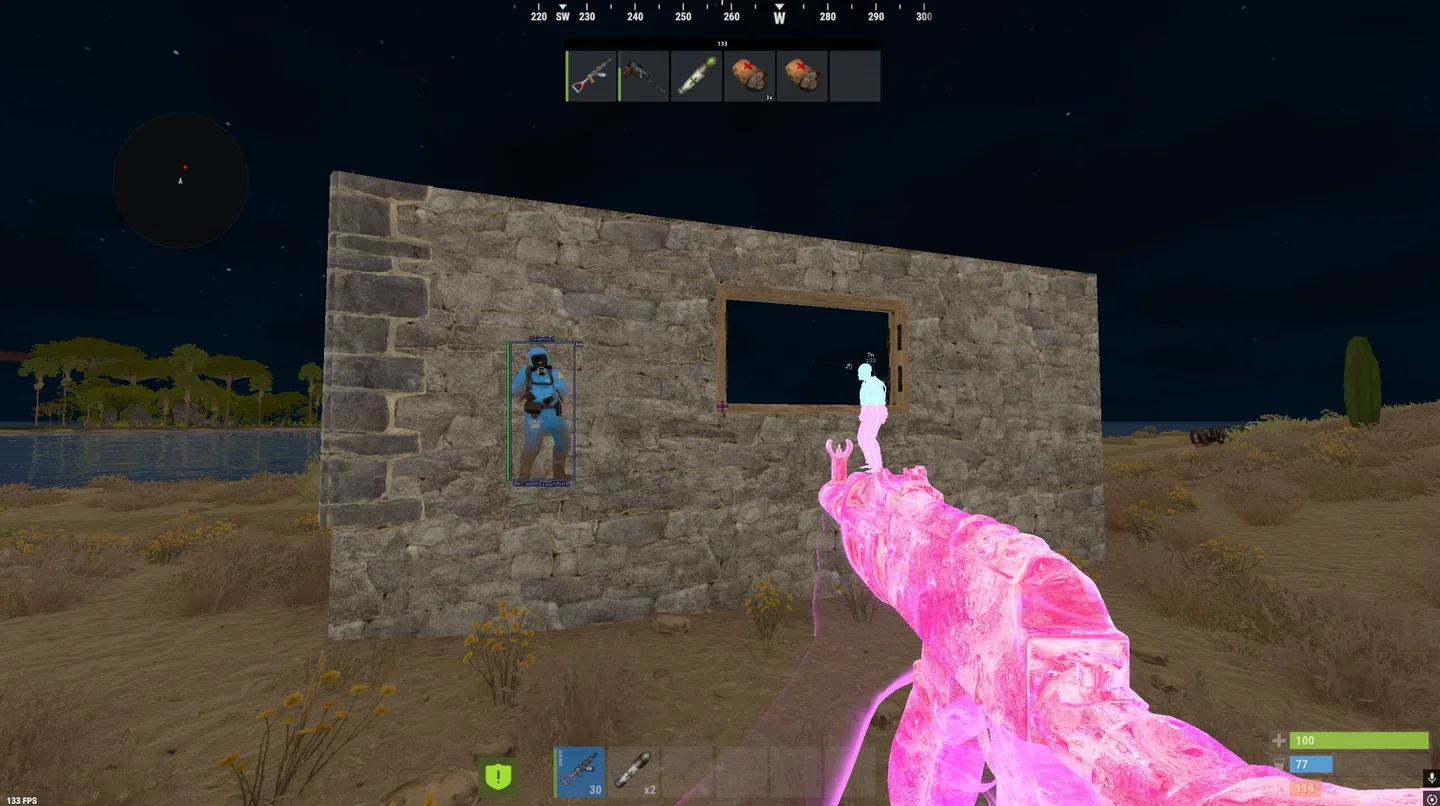
Walls and buildings break your view of an opponent. Rust wallhack displays supported player markers through cover when the game client has the relevant information, giving you a clearer picture of nearby positions. It is not a promise to reveal every player at every distance.
That extra information matters when approaching a base, watching a doorway or moving through a monument. A player marker helps reveal the position; distance and skeleton information add context to what you are seeing. Chams provide another way to make player models stand out from the surroundings.
Rust ESP - Enemy Positions, Equipment and Loot
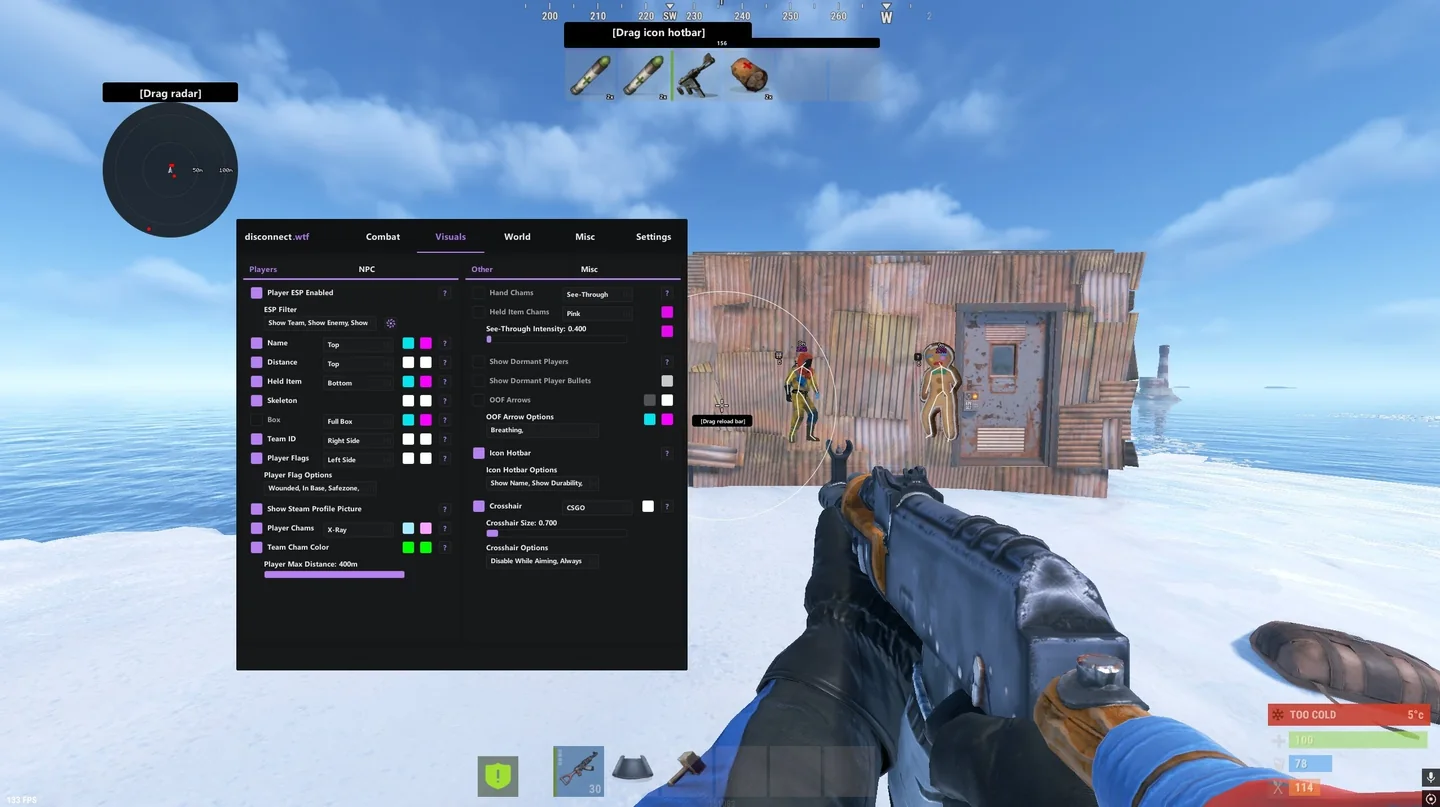
A marker tells you someone is nearby. ESP adds the information that helps you decide what to do next: a name, distance, held item, team information or player state. You can distinguish a close threat from a distant player without treating every label as equally important.
World ESP extends the same idea to your surroundings. Ores, collectables, dropped weapons, backpacks, crates and other supported objects can appear as separate categories. When you are gathering materials or looking for loot after a fight, those filters help you focus on the items worth stopping for.
- Player information: Use boxes, skeletons, names and distance labels to read nearby positions.
- Resource and loot markers: Highlight the supported materials, containers and dropped items you want to find.
- Display filters: Adjust colors and distances to keep the screen readable in busy areas.
Rust Radar - Watch the Area Around You
Watching one doorway can leave the rest of a position outside your view. Radar brings nearby player positions into a separate display, making it easier to follow the surrounding layout while ESP supplies detail beside individual players.
Use radar for a quick view of nearby activity and player ESP for information about the person you are tracking. Adjustable range and marker settings let you decide how much of the area to display.
Recoil Controls, Night Visibility and Looting Tools
Weapon recoil can pull your aim away as you fire. Recoil and spread controls let you adjust supported weapon behavior, alongside the targeting assistance. This gives you a separate set of options for weapon handling rather than relying on aimbot alone.
Available Rust cheats also include features such as Bright Night, time adjustment, Instant Loot and Auto Pickup Collectables. Brighter night visuals can make dark surroundings easier to read, while looting tools reduce repetitive item interactions. Feature availability varies by cheat; the options above link to the complete feature lists.
Buy Rust Cheats and Start Your Next Session
The Rust catalog has two separate products: Disconnect Rust External and Disconnect Rust Internal. Each has its own license options, requirements and instructions. A license for one build is not a license for the other; use the comparison guide when deciding which product to buy.
Compare a named license duration rather than two From prices: a starting price is not an assumed monthly cost. Open the selected product to see its current plans, requirements and feature list, then confirm the duration and total before payment.
After payment, find the delivered license key in your order details or My Keys using your checkout email. Follow the matching Rust External or Rust Internal setup guide. The game, a Steam account and a cheat license are separate purchases; buying a Rust cheat does not include a game account.
Looking for undetected Rust cheats? Our status page shows the current report for each option. Check it before use: an undetected report is not a promise of permanent protection from bans.
- Choose your controls: Use the comparison guide for the exact aim, NPC, world and utility options on each build. Both list aimbot, ESP, radar and saved configurations.
- Check your PC: Read the selected product's requirements and setup guide before paying. Rust External's overlay setup uses SteelSeries GG; use Internal's own instructions for that build.
- Confirm the purchase: Select a license duration, check the current status and confirm your checkout email and total. Keep your order reference if delivery or setup needs support.